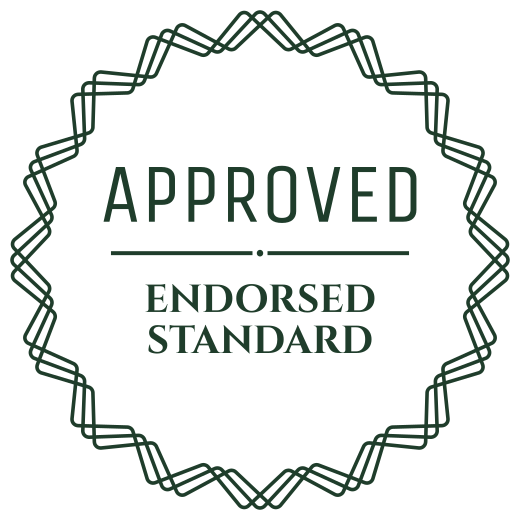
Approval stamps: what to write, where to put them
An approval gets lost in an email thread. A stamp on the file itself shows who approved what, and a GIF in the chat tells the whole team at once.
The stamp does not replace your process. It makes the outcome visible: on the proof that goes to print, on the invoice that goes to accounts, on the slide that goes to the client.
What to write
| APPROVED | the general one |
|---|---|
| APPROVED FOR PAYMENT | on invoices and expense claims |
| OK TO PRINT | on a print proof |
| CLIENT APPROVED | on a design or a draft |
| APPROVED WITH CHANGES | when small fixes are still to come |
| APPROVED · SIGNED OFF | at the end of a review round |
| QC APPROVED | on a product or a batch that passed its checks |
Where it goes
- On the print proof PDF, before it goes to the printer.
- On an invoice or expense claim, so accounts knows it can pay.
- On the cover slide of a deck the client has accepted.
- In the team chat, as a GIF, when the client says yes.
- In a project tracker, as the card's image once the task is done.
How to choose
- Say what is approved. APPROVED FOR PAYMENT tells accounts what to do next.
- Green or navy for a calm yes. Red is louder and can read as a warning.
- Use the GIF in chat and slides. Use PNG or SVG on documents.
- A round stamp reads as a seal, a rectangle as an office stamp.
- A stamp is a picture. Your own process decides what counts as approved.
How to use
- Open an approved stamp and pick the ink.
- On a PDF: press Insert to image or PDF, choose the file, place the stamp, download.
- On a slide: download the PNG with no background and drop it on the slide.
- In chat: download the GIF and send it.
- In Adobe Acrobat: Stamps, Custom Stamps, Create, then choose the PNG.
Questions
- Is there an animated approved stamp?
- Yes. Every stamp has a GIF that stamps itself in. It works in chat, slides and email.
- Can I make it say my team's name?
- Yes. Type your own words in the box at the top, for example APPROVED · DESIGN TEAM.
- Is a stamp a legal approval?
- No. It is a picture of a stamp. Your own process decides what counts as approved.
From the collection